- File
-
Designs
-
-
All Categories -
Category #1 - New Category
-
My designs
-
- Share
-
Help
-
Design It Here Help Center
- Welcome to Design It Here! 1. Select your product and preferred options. 2. Add text, images, clipart, shapes, or one of our available design templates. 3. Upload your own logo or artwork when needed. 4. Resize and position your design inside the printable area. 5. Review all spelling, colors, sizing, and placement carefully. 6. Preview your finished design before adding the product to your cart. For products with multiple print areas, such as Front and Back, customize only the areas you want printed. Your final submitted design will be used to process your customized order.
- Upload your logo, photo, or artwork directly into the designer. For the best print quality: • Use a high-resolution image whenever possible. • PNG files with transparent backgrounds are recommended for logos and graphics. • 300 PPI is preferred for the best print quality. • A low-resolution warning may appear if your artwork does not meet the recommended quality. • Make sure your artwork is large enough for the size you want printed. You must own or have permission to use any logos, images, trademarks, or artwork you upload. Please review your uploaded artwork carefully before placing your order.
- Use the Design It Here tools to personalize your product. • Add text and choose from the available fonts. • Change text colors, size, spacing, and placement. • Add images, clipart, shapes, and backgrounds. • Resize, rotate, duplicate, and position design elements. • Use layers to arrange elements in front of or behind each other. • Use alignment tools to help position your design. • Select a design template when available and customize it with your own information. Keep all important text and artwork inside the printable design area. Before continuing, double-check names, dates, spelling, numbers, colors, and placement.
- For the best finished product, review your design carefully before adding it to your cart. • 300 PPI is recommended for high-quality printing. • Low-resolution artwork may appear blurry or pixelated when printed. • Pay attention to any image-quality warnings shown in the designer. • Make sure important text and artwork remain inside the printable design area. • Check that your design is sized and positioned correctly on each print location. • Colors displayed on your screen may vary slightly from the finished printed product. • Enlarging a small image can reduce its print quality. If your artwork requires additional review, Justz Designs & Graphix may contact you before production.
- Before placing your customized order, carefully review your entire design. • Check all spelling, names, dates, numbers, colors, sizing, and placement. • Review every print location you customized, including Front and Back when applicable. • Make sure you selected the correct product, size, color, quantity, and other available options. • Your submitted design is considered your approval for production. • Customized and personalized products may not be returned or exchanged unless there is a production error or product defect. • Production time begins after your order, payment, and required design approval are received. • Shipping or delivery time is separate from production time. If we identify an issue that may affect production or print quality, Justz Designs & Graphix may contact you before your order is produced.
- Welcome to Design It Here by Justz Designs & Graphix.
Create and personalize your products directly in our online design studio. Add your own artwork, logos, text, images, and other available design elements to bring your vision to life.
Please review your design carefully before submitting your order. Our team may contact you if we identify an artwork or production issue that needs your attention.
From Vision To Reality — We Make It Happen.
Powered by Lumise version 2.1.2
-
- Shop
- Undo
- Redo
- 0.0
-
My Cart
- Back To Shop
- Design
- Product
- Templates
- Cliparts
- Images
- Text
- Shapes
- Layers
- Drawing
- Backgrounds
- Distress
Click or drop images here
Click or drag to add text









Free drawing mode
Save this color
Tips: Mouse wheel on the canvas to quick change the brush size
Bug Reporting
Please let us know if you find any bugs on this design tool or just your opinion to improve the tool.
Tips: If you want to send content with screenshots or videos, you can upload them to imgur.com or any drive services and put links here.
-
Start designing by adding objects from the left side
- All selected objects are grouped | Ungroup?
- Group objects Group the position of selected objects
-
-
Fill options
Save this color
-
- Create QRCode
-
Options
-
Automatically align the position of <br>the active object with other objects -
ON: Keep all current objects and append the template into OFF: Clear all objects before installing the template -
Replace the selected image object instead of creating a new one -
Select the way how the background image addon display
-
- Replace image
- Crop
-
Mask
-
Select mask layer
-
-
Remove background
-
Remove background
-
Deep:
-
Mode:
-
-
Filters
-
Filters
-
- Original
- B&W
- Satya
- Doris
- Sanna
- Vintage
- Gordon
- Carl
- Shaan
- Tonny
- Peter
- Greg
- Josh
- Karen
- Melissa
- Salomon
- Sophia
- Adrian
- Roxy
- Singe
- Borg
- Ventura
- Andy
- Vivid
- Purple
- Thresh
- Aqua
- Edge wood
- Aladin
- Amber
- Anne
- Doug
- Earl
- Kevin
- Polak
- Stan
-
Brightness:
-
Saturation:
-
Contrast:
-
- Clear Filters
- Click then drag the mouse to start drawing. Ctrl+Z = undo, Ctrl+Shift+Z = redo
- QRCode text
-
Fill options
-
Fill options
Save this color
-
Transparent:
-
Stroke width:
-
Stroke color:
-
- Ungroup position
-
Arrange layers
-
Position
-
Object position
Lock object position:
-
Center vertical
-
Top left
-
Top center
-
Top right
-
Center Horizontal
-
Middle left
-
Middle center
-
Middle right
- Press ← ↑ → ↓ to move 1 px, <br>Hit simultaneously SHIFT key to move 10px
-
Bottom left
-
Bottom center
-
Bottom right
-
-
Transforms
-
Rotate:
-
Skew X:
-
Skew Y:
-
Flip X:
Flip Y:
Free transform by press SHIFT+⤡
-
-
Font family
-
Edit text
-
Edit text
-
-
Font size:
-
Letter spacing
-
Line height
-
-
Text Effects
-
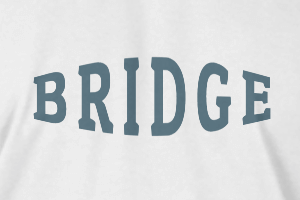
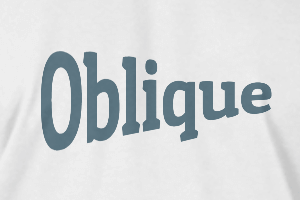
Text effects
-
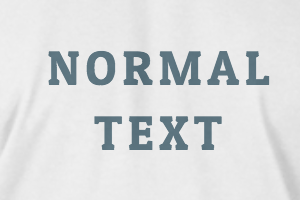
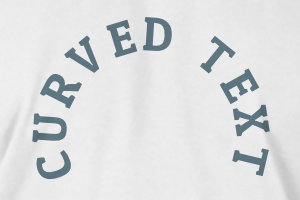
-
Radius
-
Spacing
-
Curve
-
Height
-
Offset
-
Trident
-
-
Text align
- Uppercase / Lowercase
- Font weight bold
- Text style italic
- Text underline
Please select a product to start designing
Scroll to zoom